So I had a call last Thursday. Forty-five minutes on Zoom with a bloke who wanted to talk about automating his onboarding. Good conversation. Sorted out what he needed, gave him a couple of ideas, wrapped it up.
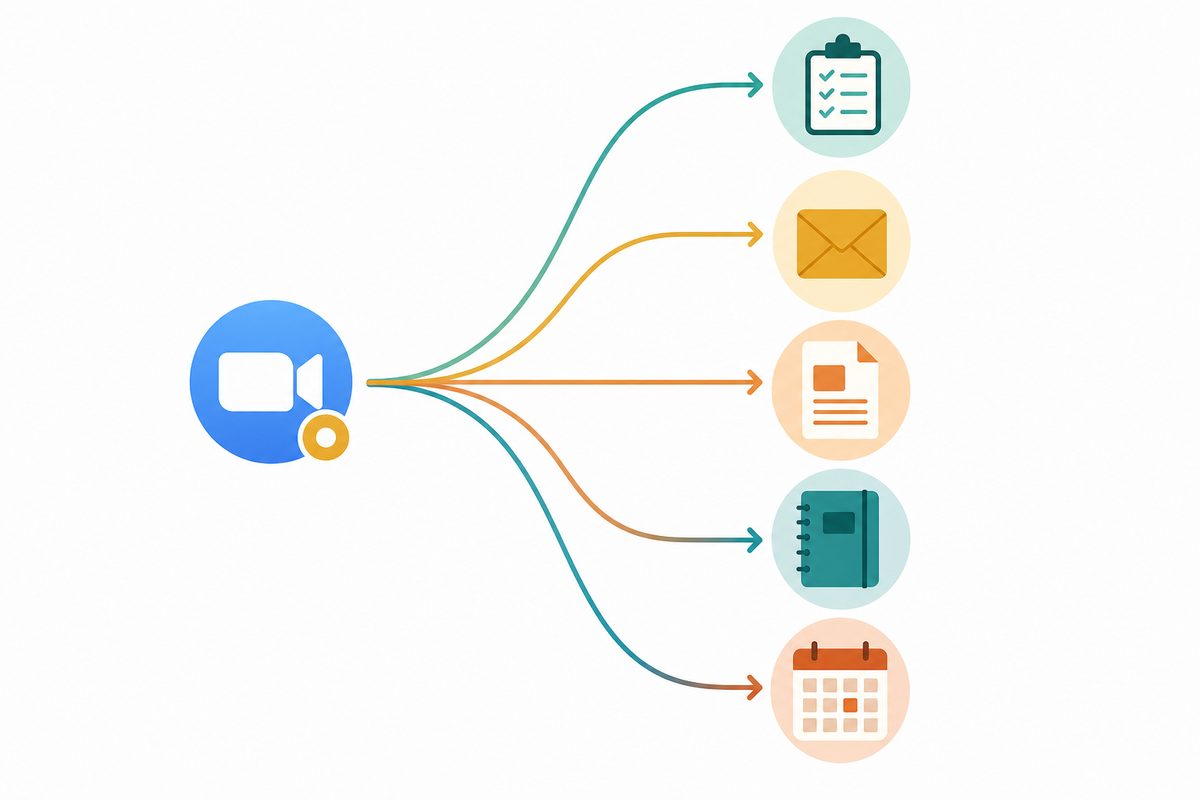
Within twenty minutes of hanging up, the recording had already turned into five separate things. A follow-up email with action items. A task list in my project tracker. A draft blog topic flagged for later. A clip tagged for my course content. And a coaching note for my team on how to handle that kind of conversation.
I didn't write any of it. I didn't even open a document.
That call just quietly built five pieces of my business while I made a cup of tea. And that, mate, is what an autonomous business actually looks like in practice.
The Problem With Meetings (It's Not What You Think)
Most people think the problem with meetings is that there are too many of them. And yeah, that's part of it. The average knowledge worker spends 392 hours a year in meetings, which is ten full working weeks. 72% of those meetings are ineffective at achieving what they were actually scheduled to do, according to research from Atlassian.
But the real problem is what happens after the meeting ends.
Research going back to Ebbinghaus and updated by the University of Waterloo shows that people forget 50% of what was discussed within one hour. 70% by the next morning. And 90% within a week.
So think about that for a second. You've spent 45 minutes having a genuinely useful conversation. By Friday, you remember maybe four minutes of it.
All those action items you agreed on? The pricing you discussed? That clever idea someone had at the 32-minute mark? Gone. Unless someone was frantically scribbling notes while trying to be present in the conversation as well, which is sort of like trying to drive and write a shopping list at the same time.
How the Pipeline Actually Works
So here's what I built instead. And I want to be specific about this because "I use AI for meetings" means about forty different things to forty different people.
Step 1: Fathom records everything.
Every call I take, whether it's a sales conversation, a team catch-up, or a coaching session, gets recorded and transcribed by Fathom. It joins the call automatically, sits in the background, and I don't even think about it. When the call ends, I've got a full transcript, a summary, and auto-detected action items within minutes.
And look, I chose Fathom because it works across Zoom, Google Meet, and Teams, and the transcription quality is genuinely good. They hit $30M in annual revenue in 2025 with hundreds of thousands of daily users, which sort of tells you the product works well enough for people to keep paying for it.
Step 2: AI sorts the transcript into buckets.
And this is where most people stop. They get the transcript, maybe skim the summary, and that's it. The recording sits in a folder and nobody ever looks at it again.
But what I do instead is run the transcript through a processing layer. My AI coworker reads the full transcript and sorts the content into categories. Was there a coaching moment worth capturing? Did I explain something that could become a blog post? Are there action items that need to go into my task tracker? Did the conversation surface a pain point that'd make good content?
Each of those gets routed to a different output.
Step 3: Action items go straight to my task system.
Any commitments I made, anything the other person needs to do, follow-up dates, all of it gets pulled out and dropped into my task tracker automatically. No more "I think I said I'd send that thing" three days later.
And here's what's interesting. One team that tracked this properly found that action item completion jumped from 60% to 87% once AI started extracting and tracking them automatically. People actually started reading the meeting notes as well. Usage went from 22% to 70% when the notes were structured consistently and arrived within minutes.
Step 4: Content gets flagged and queued.
If I explained something well on a call, described a framework, told a story that landed, my system flags it. That becomes a candidate for a blog post, a LinkedIn post, or a section in my course material.
And I'm not the first person to figure out that meetings contain content. But most people do this manually, and manual repurposing takes 10 to 16 hours per recording when you account for review, clipping, writing, and formatting. At a loaded cost of £40 to £60 per hour, that's £400 to £960 per recording if someone's doing it by hand.
My system does the first pass automatically. The AI identifies the clip-worthy moments, drafts initial content, and queues it. I still review and edit, but the heavy lifting's done.
Step 5: Follow-ups write themselves.
After every call, a follow-up goes out summarising what we discussed and what happens next. It's drafted from the actual conversation, not from my memory of it three hours later when I finally get around to writing it. And the person on the other end gets a clear, accurate recap within the hour.
What This Actually Saves
Look, I'm not going to pretend I tracked every minute with a stopwatch, but I can give you the rough maths based on my experience.
Before I built this system, here's what happened after a typical call. I'd spend 10 to 15 minutes writing up notes. Another 5 minutes creating follow-up tasks. Maybe 10 minutes drafting a follow-up email. And the content? The blog posts, the course clips, the social media angles? Those just didn't happen. They sat in recordings that nobody ever watched again.
So multiply that across 8 to 10 calls a week, and you're looking at 3 to 5 hours of post-meeting admin. Plus all the content you never create because who's got time to go back through 45-minute recordings looking for the good bits?
Research from Semrush found that teams with repurposing workflows produce 47% more content at 35% lower cost per piece. A single piece of content can be turned into 8 to 12 different assets across formats, according to CoSchedule. My voice profile, the thing that makes my blog sound like me and not like a robot, was built from 97 Fathom recordings and over 217,000 words of my actual speech patterns.
So the meetings aren't just creating content. They're training the system to sound more like me over time.
Why Most People Won't Build This
And I should be honest about this bit. The system I've described didn't appear overnight. I didn't download an app and suddenly everything was automated. It took building, testing, breaking things, and rebuilding.
The AI tools are ready. Fathom's transcription is solid. Processing transcripts with AI is a solved problem. But the integration layer connecting everything, that's where most people get stuck.
And I think that's because most people approach automation tool-first instead of process-first. They sign up for Fathom, get the transcripts, and then ask "now what?" The answer is you need to know what you want to do with the output before you start recording.
For me, the outputs were clear from day one. I need action items tracked. I need follow-ups sent. I need content flagged. I need coaching moments captured. And once you know the outputs, building the pipeline is just a sequence of problems to solve, not some massive project.
Where to Start (If You're Not There Yet)
You don't need my exact setup. You need the thinking behind it. So here's what I'd sort of recommend if you want to build something like this.
First, pick one output. Don't try to do all five things at once. Start with the one that costs you the most time. For most people, that's either follow-up emails or action item tracking. Get one working properly before adding the next.
Second, get the recording habit. If you're not already recording your calls, start. Fathom's free tier works fine for individual use. Just get the transcripts flowing. You can't automate what you haven't captured, mate.
Third, build the processing layer. This is the bit where AI reads your transcripts and does something useful with them. And you can start simple. Even asking an AI to "pull out the action items and draft a follow-up email" after each call saves you 15 to 20 minutes. If you want a head start with pre-built skills for this kind of thing, the AI Setup Kit has 77 of them ready to go.
Fourth, connect the outputs. Once you've got the AI processing working, connect it to where things need to go. Tasks into your project tool. Follow-ups into your email. Content ideas into your content queue and all of that sort of thing. This is where the real time savings compound, because you go from "write everything" to "review and approve."
And if you want to see this kind of thing built live, I do exactly that every week at Build Night, where we take a real problem and build an autonomous system for it in one session.
The Point
Every meeting you have contains more value than you're extracting from it. Every call has action items that get forgotten. Stories that could become content. Insights that could train your team. Follow-ups that arrive too late or don't arrive at all.
The gap between having the meeting and getting the value from it is where most businesses leak time, content, and opportunities. My system closes that gap automatically.
It's not about replacing meetings. It's about making every meeting count five times over, without adding a single minute of admin to your day.
---
Sources:
- SpeakWise, "Calendar Saturation, Declining Returns, and the War on Focus" (March 2026). speakwiseapp.com/blog/meeting-overload-statistics
- SpeakWise, "Meeting Recall Statistics 2026" (February 2026). speakwiseapp.com/blog/meeting-recall-statistics
- TranscribeNext, "Meeting Memory Loss: The Ebbinghaus Forgetting Curve Explained" (December 2025). transcribenext.com/blog/why-brain-forgets-90-percent-meetings
- GetLatka, "Fathom.ai Revenue 2025: $30M ARR" (June 2026). getlatka.com/companies/fathom.ai
- Cotera, "Automated AI Meeting Notes: How We Saved 6 Hours a Week" (March 2026). cotera.co/articles/ai-meeting-notes-automated
- RepurposeMyWebinar, "Content Repurposing Statistics 2026" (June 2026). repurposemywebinar.com/blog/content-repurposing-statistics-2026
- Contentmation, "Content Repurposing ROI Stats" (April 2026). contentmation.com/marketing-stats/content-repurposing-roi-stats
---
Want to try this yourself? Grab the free AI Setup Kit. 77 plug-and-play skills for content, sales, marketing, and operations. Works with Viktor, Claude, or ChatGPT. No course, no tool to configure, just markdown files and your AI.
---
About Steven Tann: Steven helps business owners build systems that run themselves using AI. After 10+ years helping 7,000+ businesses and building his own autonomous operations, he's the bloke who actually does it, not just talks about it. Find out more at steventann.com.